Ask the way you would ask a colleague
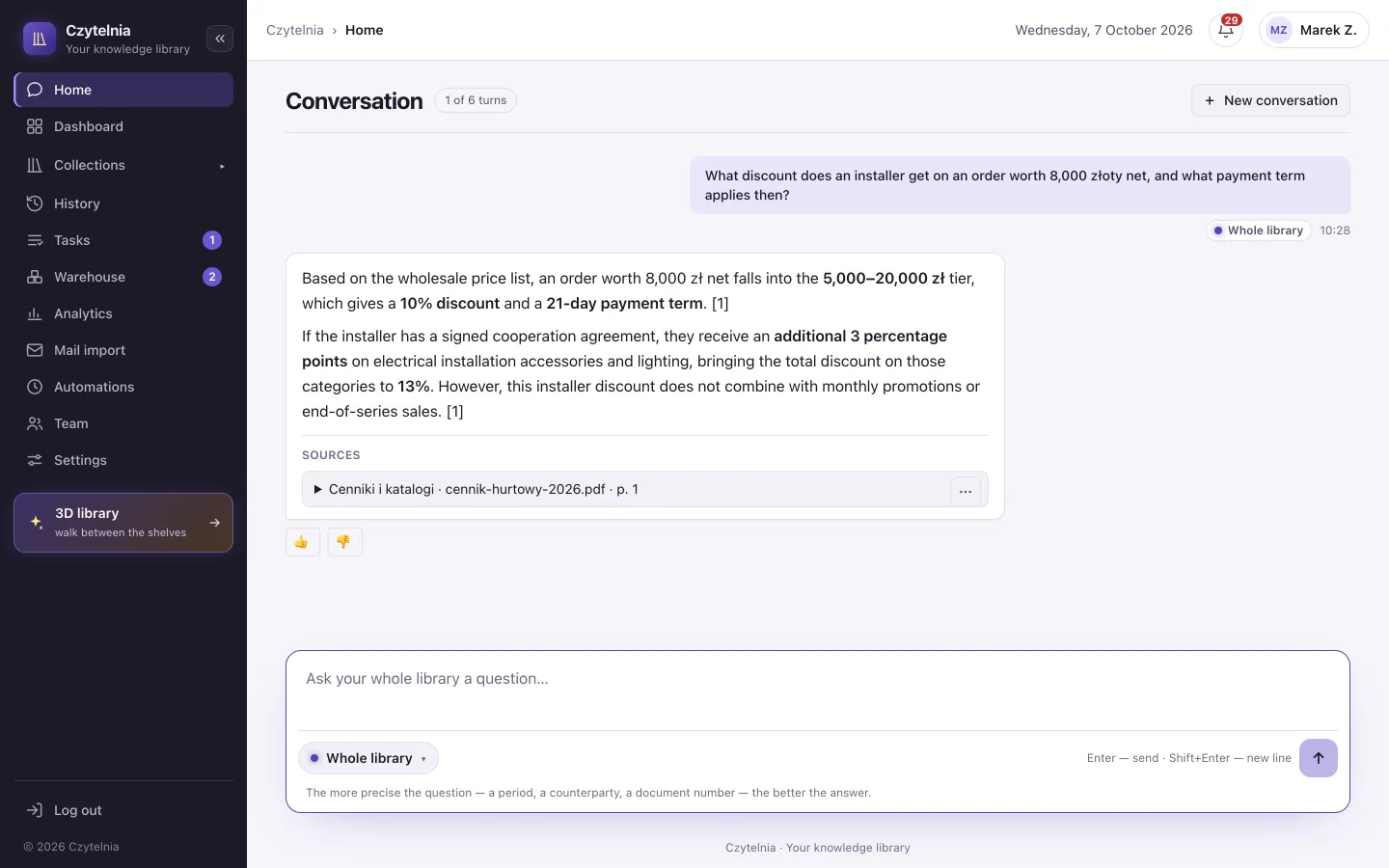
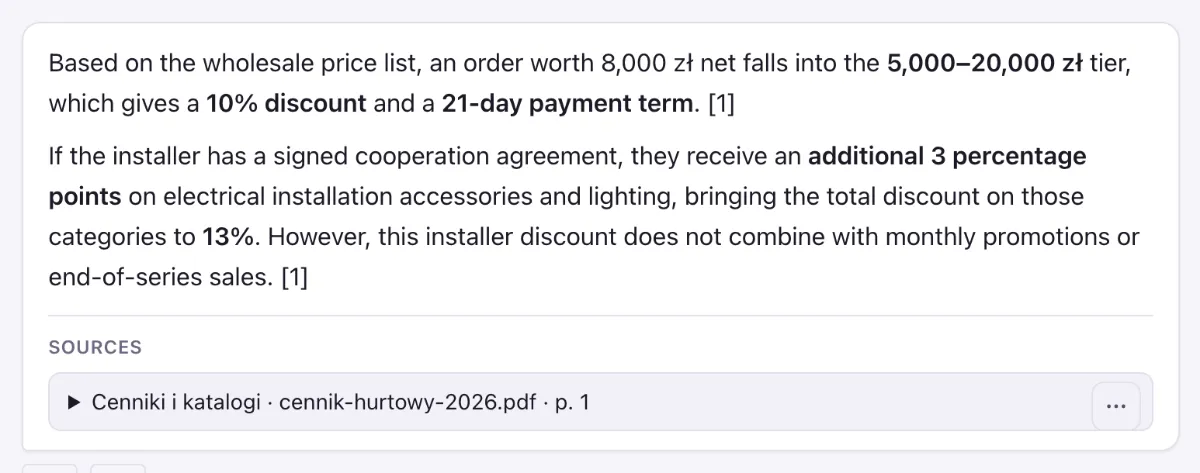
“What discount does an installer get on an order worth 8,000 złoty?” Choose a collection or the whole library available to you. You can follow up in the same conversation.
Ask about your company's documents and check where each answer comes from. Compare versions, make corrections and pass the document on — in one place for the whole team.
Contracts · manuals · offers · company email
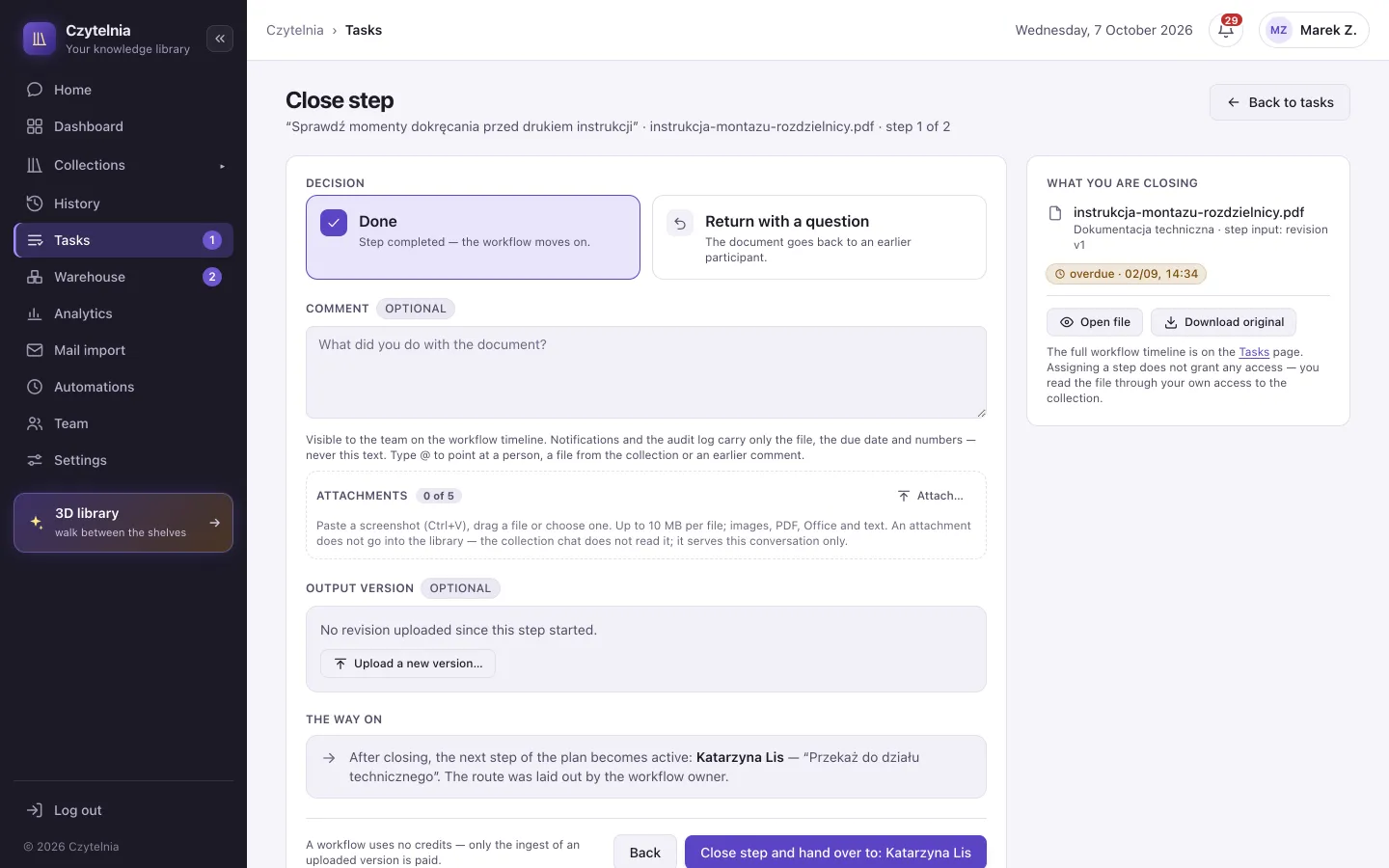
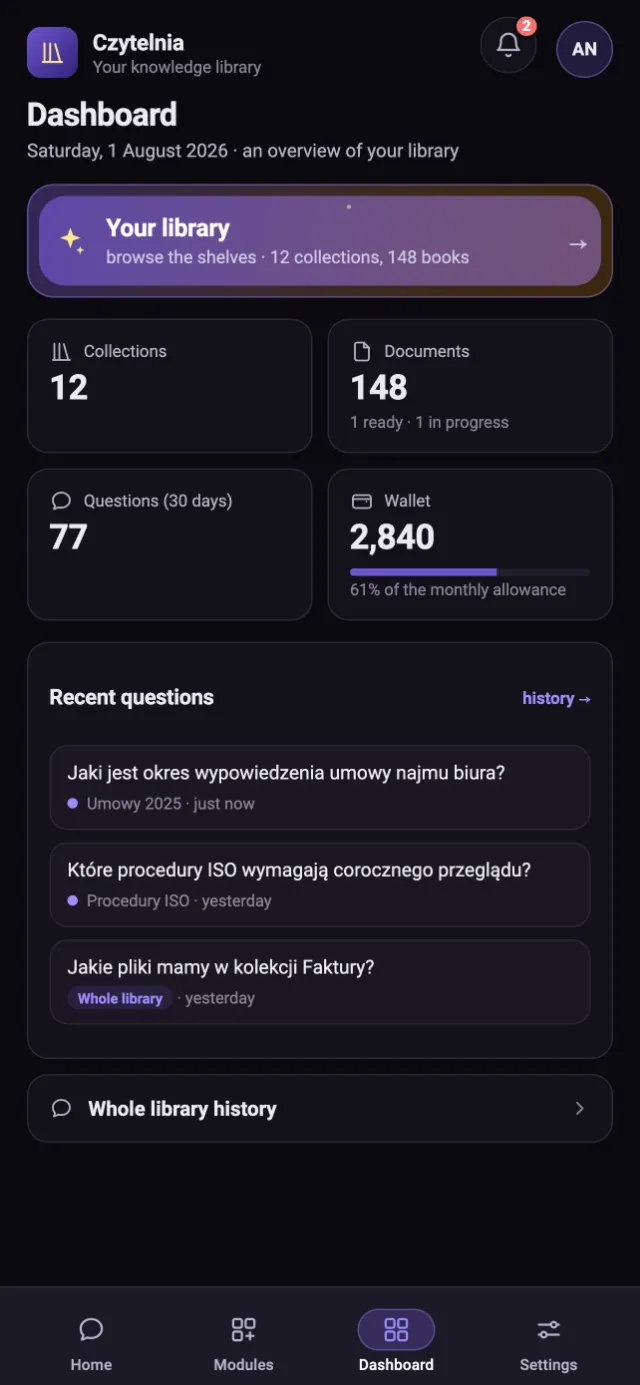
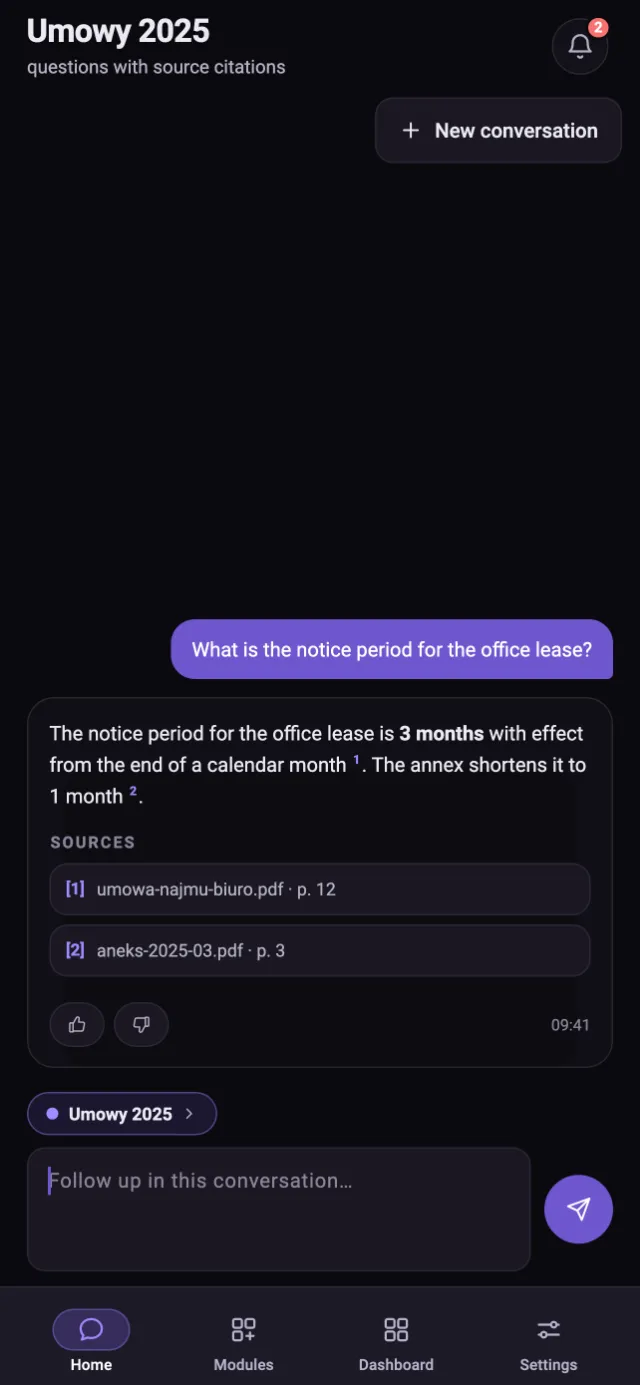
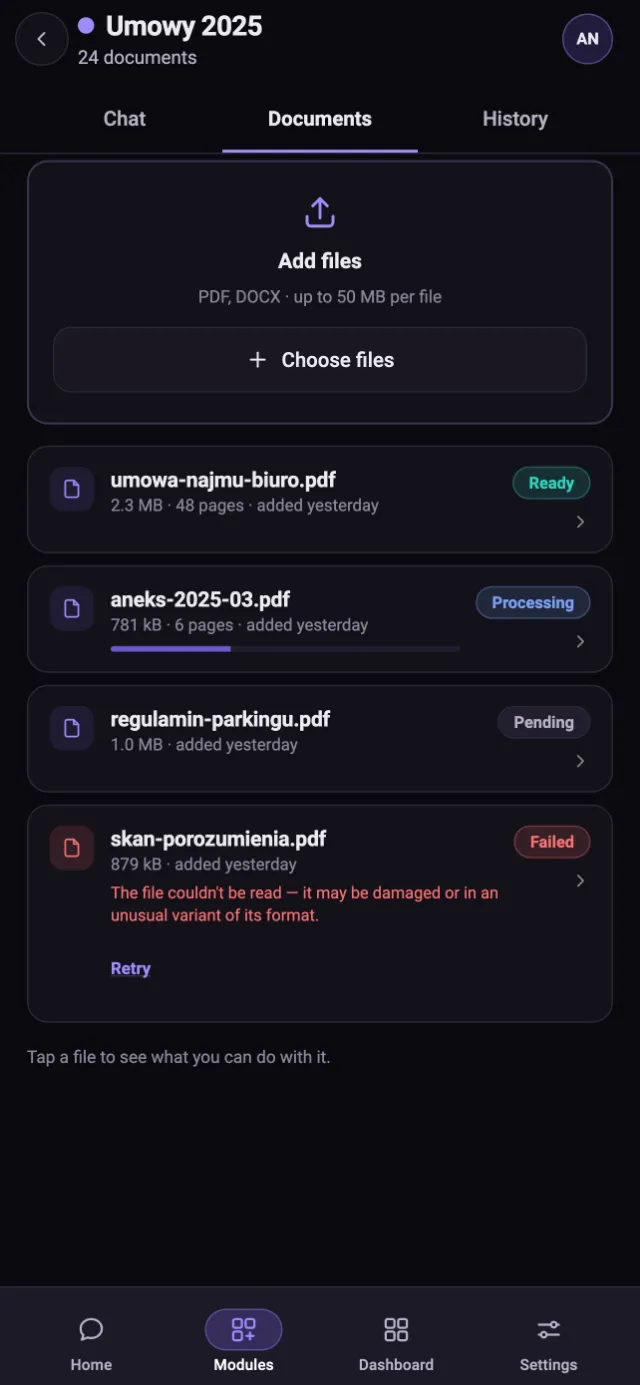
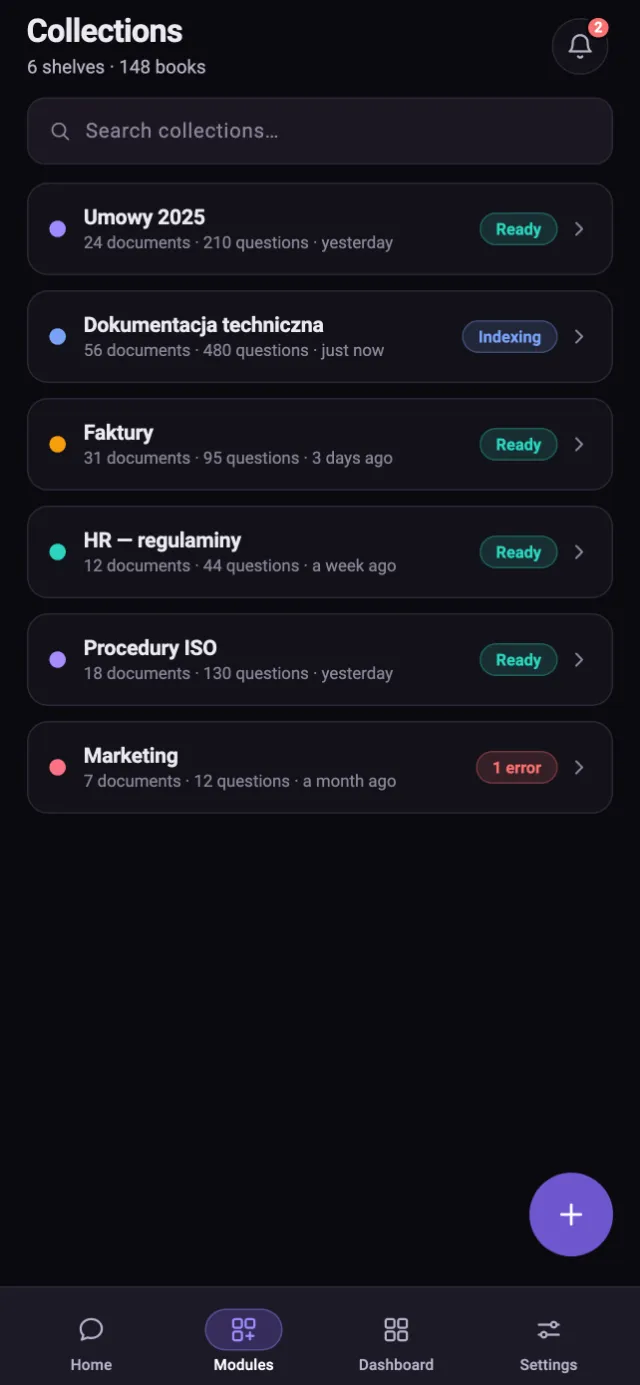
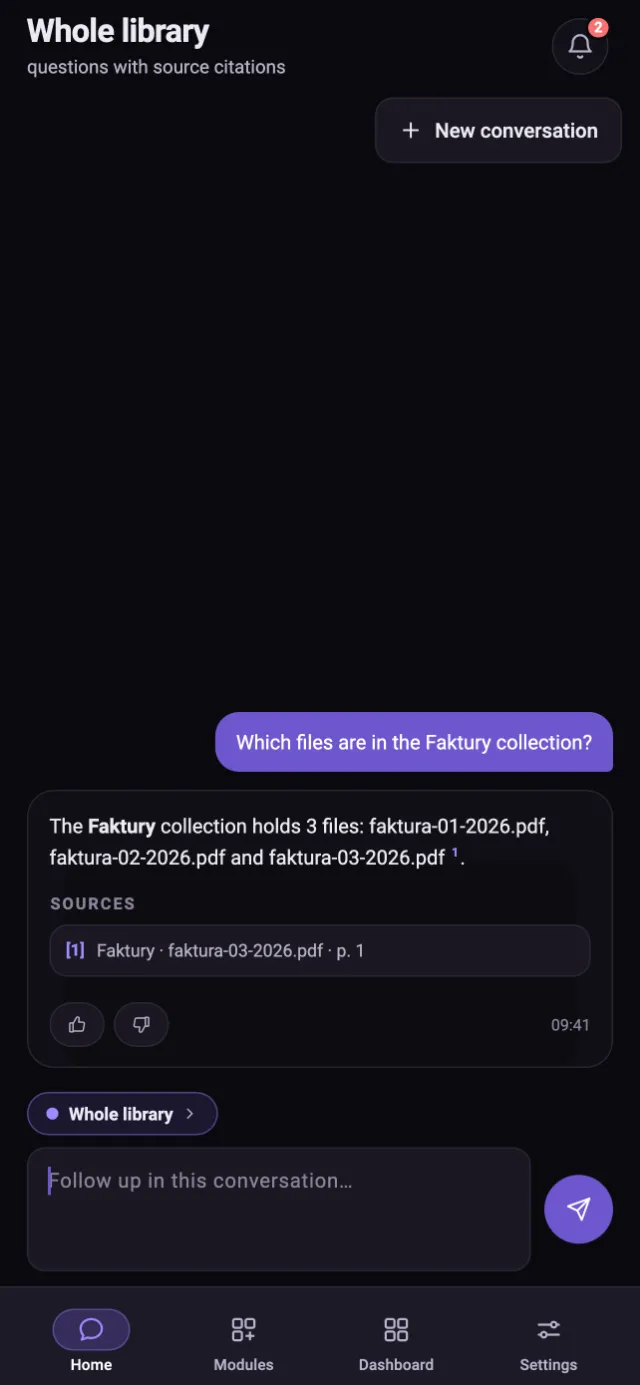
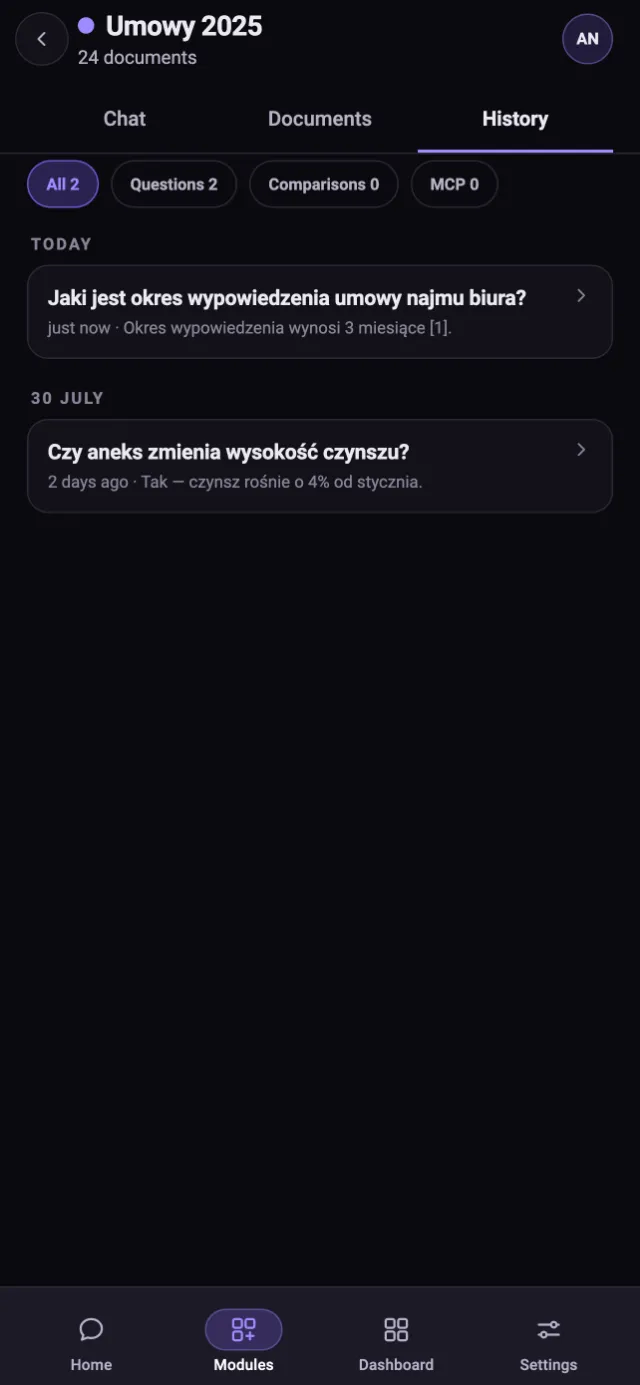
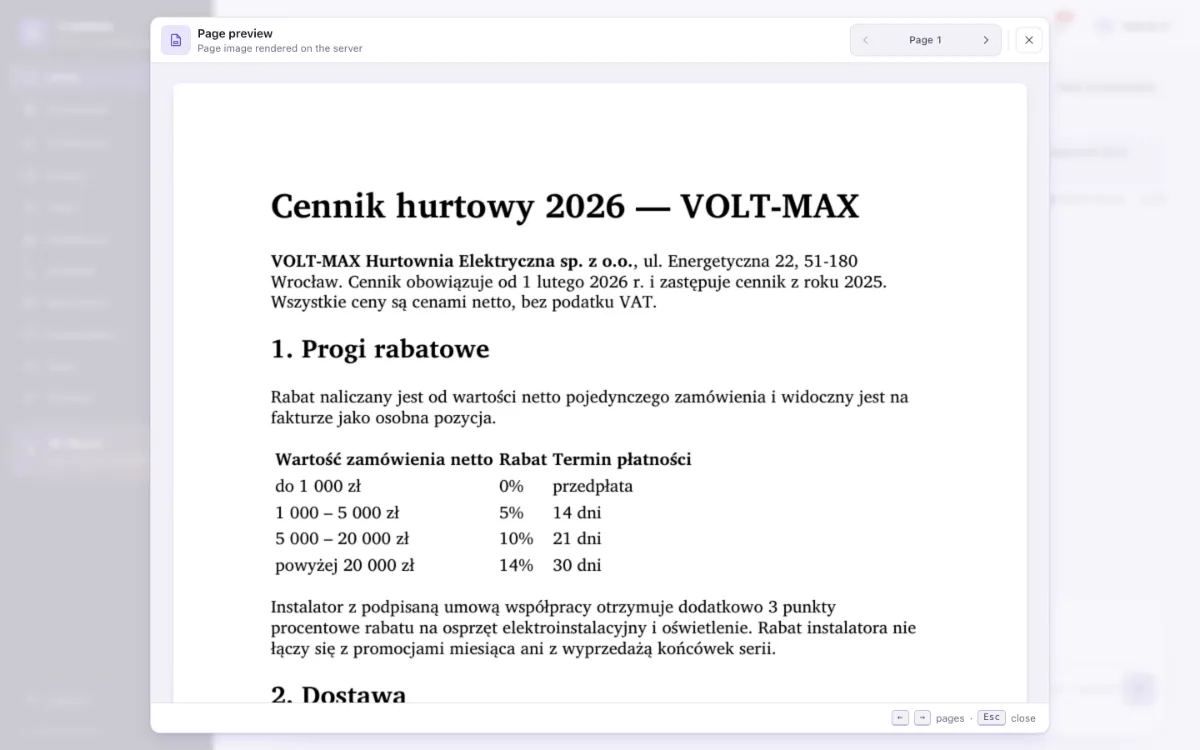
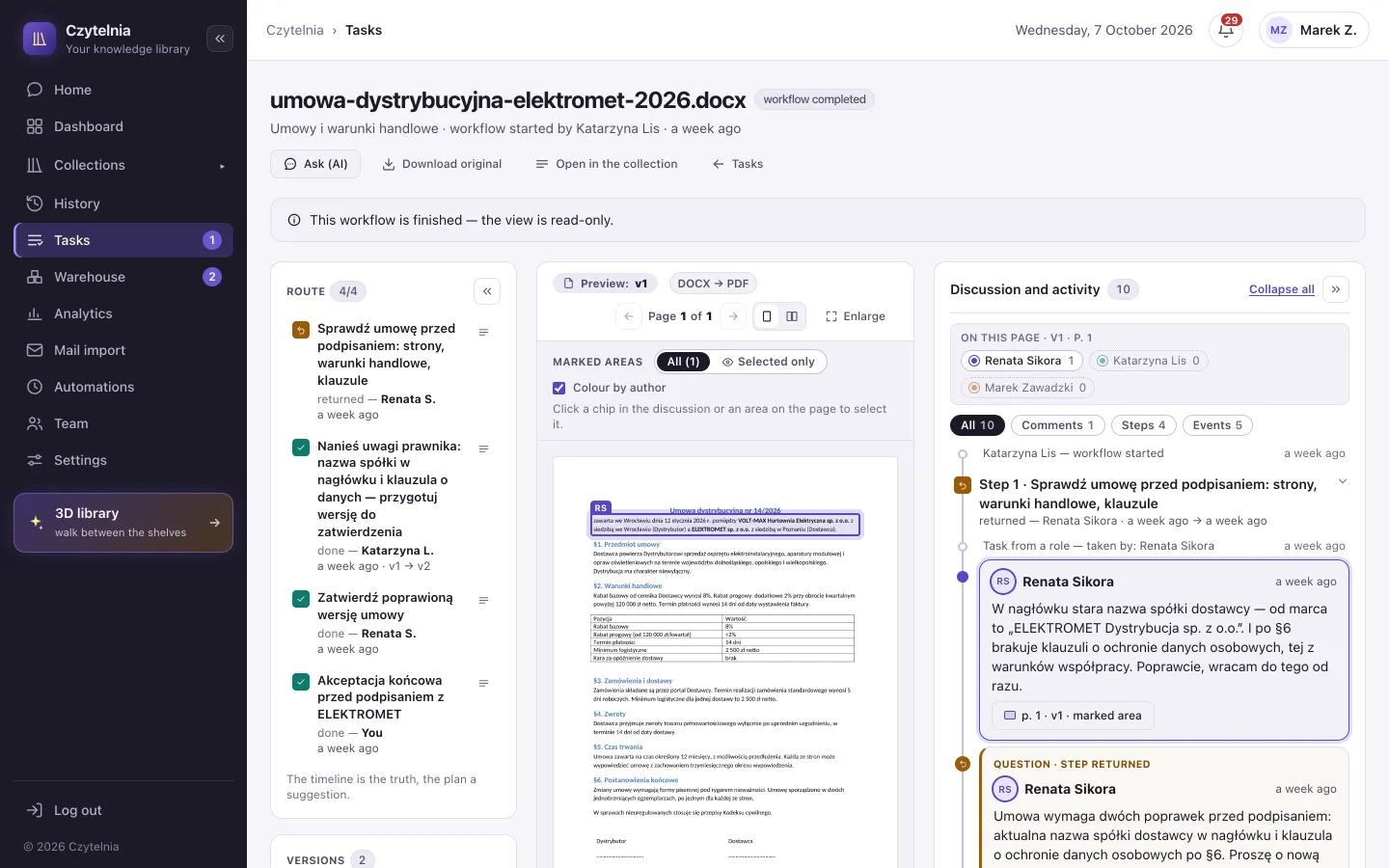
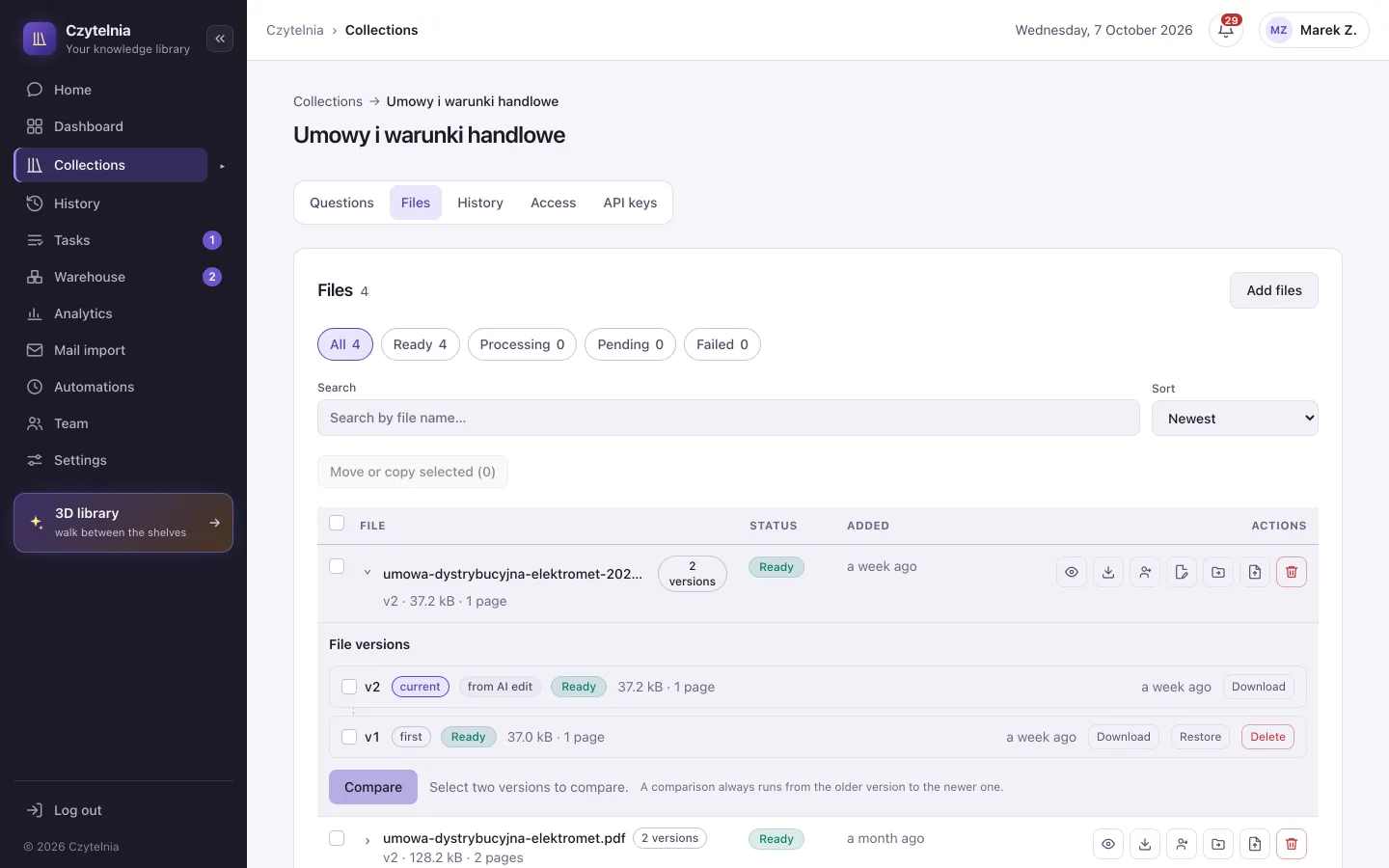
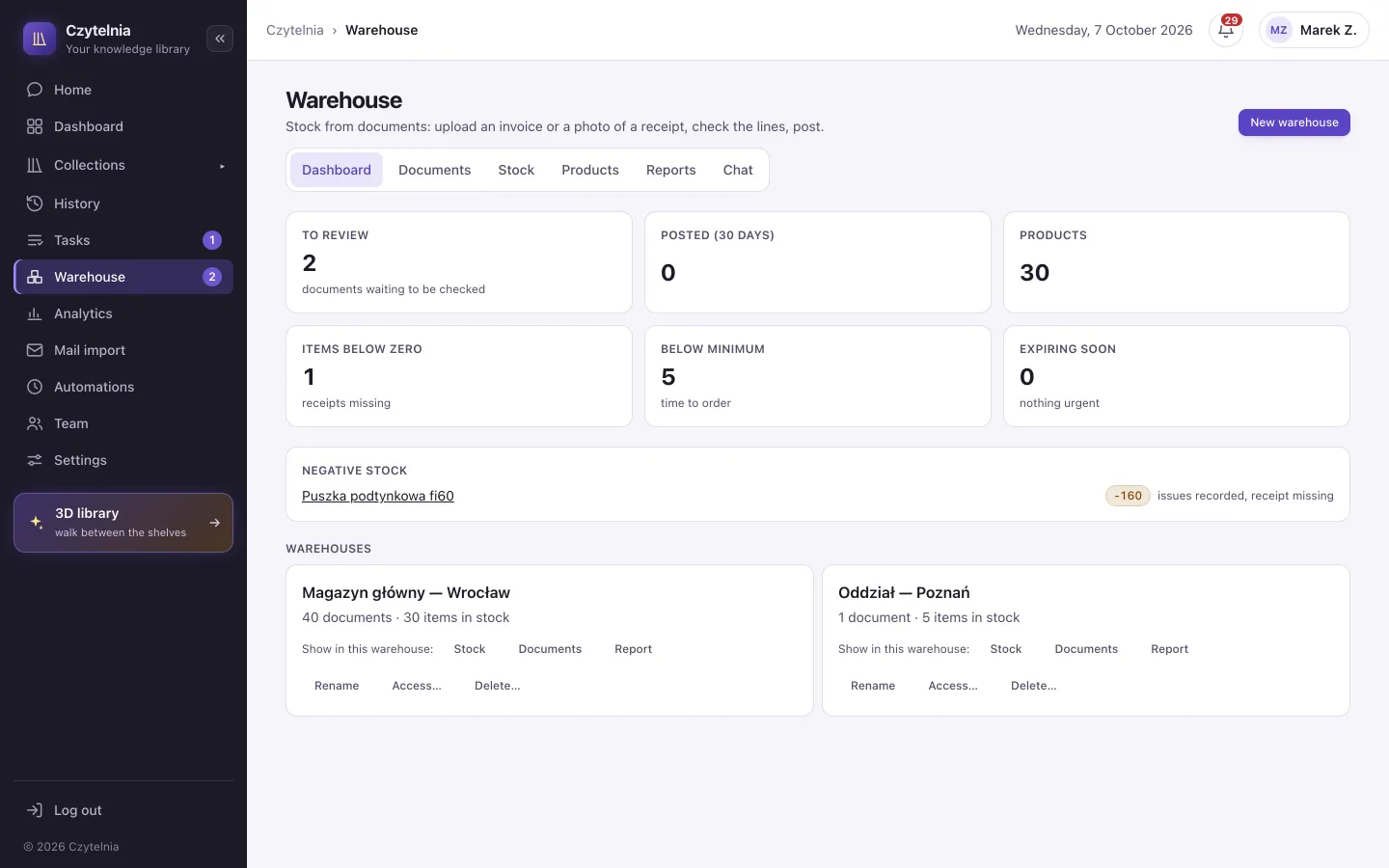
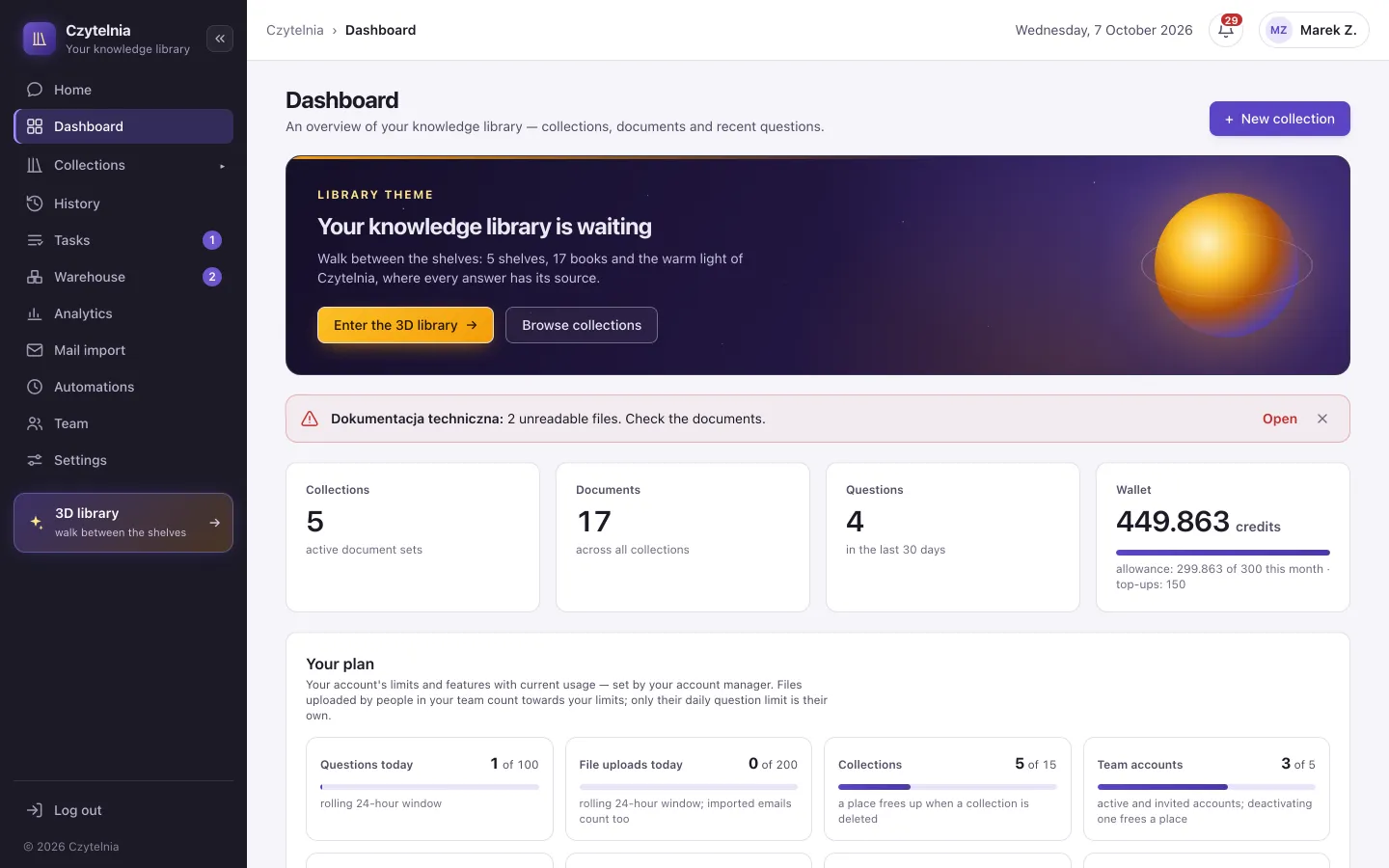
Screenshots of the Czytelnia console: Home with the question “What discount does an installer get on an order worth 8,000 złoty net, and what payment term applies then?” and an answer with citations pointing to the file and page, a preview of the cited page, a document workflow view, a collection's file list with versions, the warehouse dashboard and the account dashboard.
These are the real screens of the app. Scroll, or pick the part that interests you most.
“What discount does an installer get on an order worth 8,000 złoty?” Choose a collection or the whole library available to you. You can follow up in the same conversation.
Next to the answer you will find references to the documents. You can check where the information comes from and whether it answers your question.
Click a citation to see the source in a preview. The document and the answer sit side by side.
The search screen: the Czytelnia console with the scope “Whole library”, a question about an installer's discount and the payment terms, an answer with citations pointing to the file and page, and a preview of the cited price-list page with the passage highlighted.
Group contracts, manuals or offers into collections. Decide which members of your team can use them.
Upload Office documents, PDFs or text files. Add OCR for scans and photos, or import messages from an IMAP mailbox.
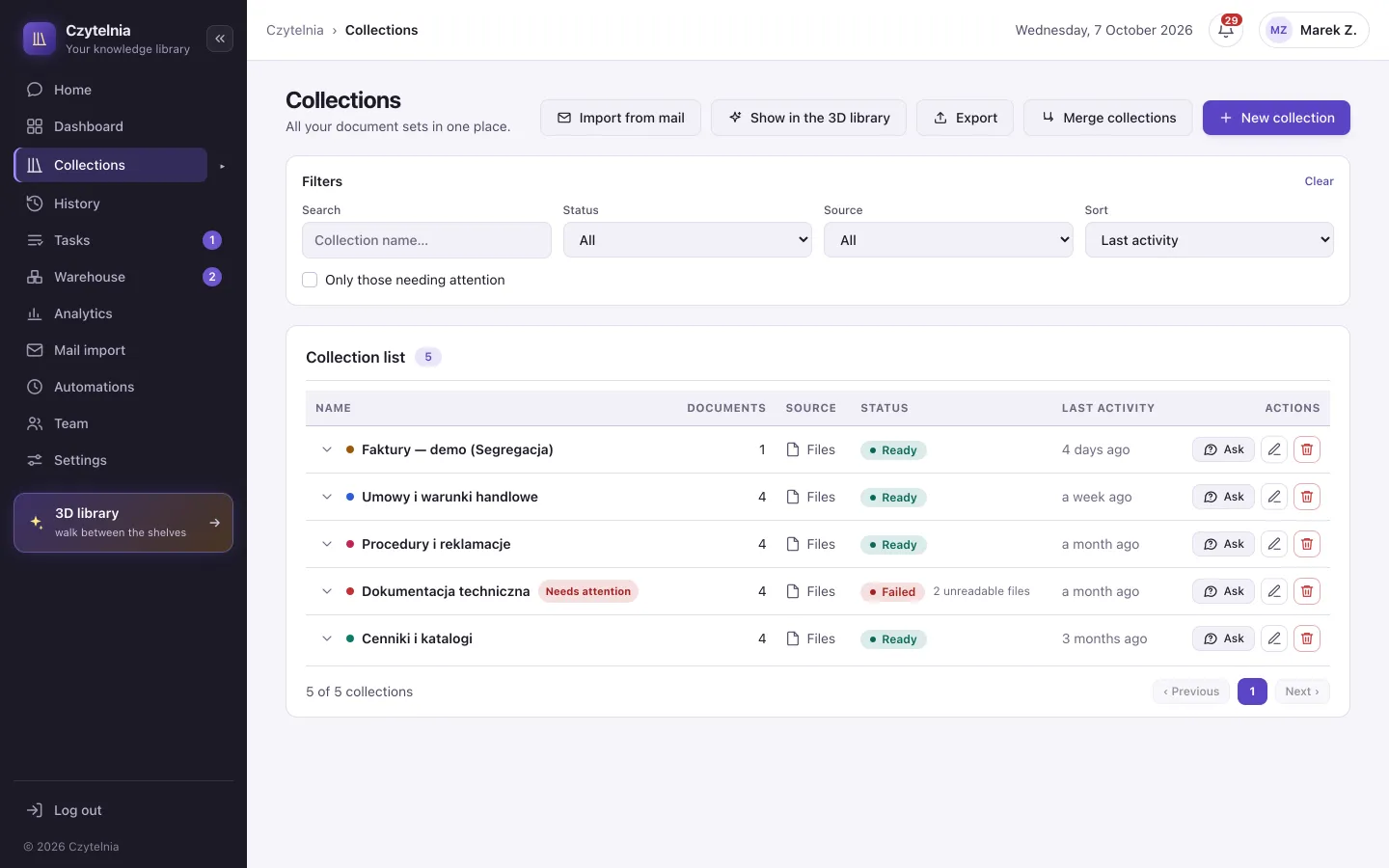
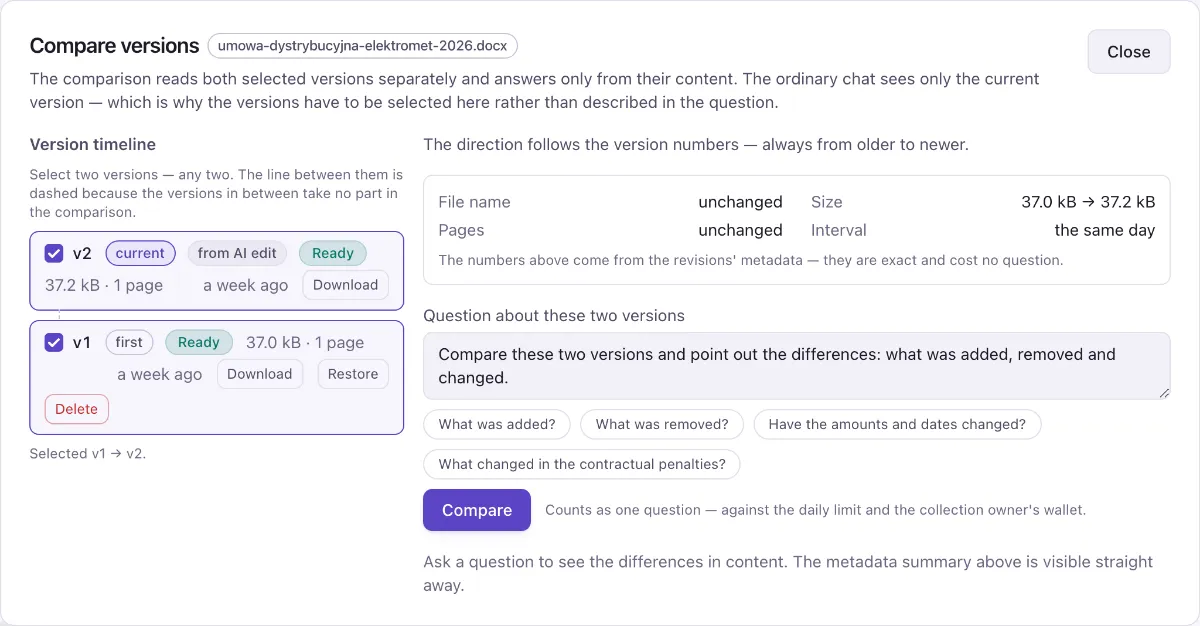
Keep the version history and compare two revisions. With supported files you can also request corrections in the chat and accept the new version.
The collections screen: the company's shelves with the number of files on each, the file table of the collection “Contracts and trading terms” with format, processing status and the expanded list of versions of a distribution agreement, and the “Compare versions” window setting two revisions side by side.
Assign a document to a person or a role, add a due date and a task description. Start recurring matters from a template.
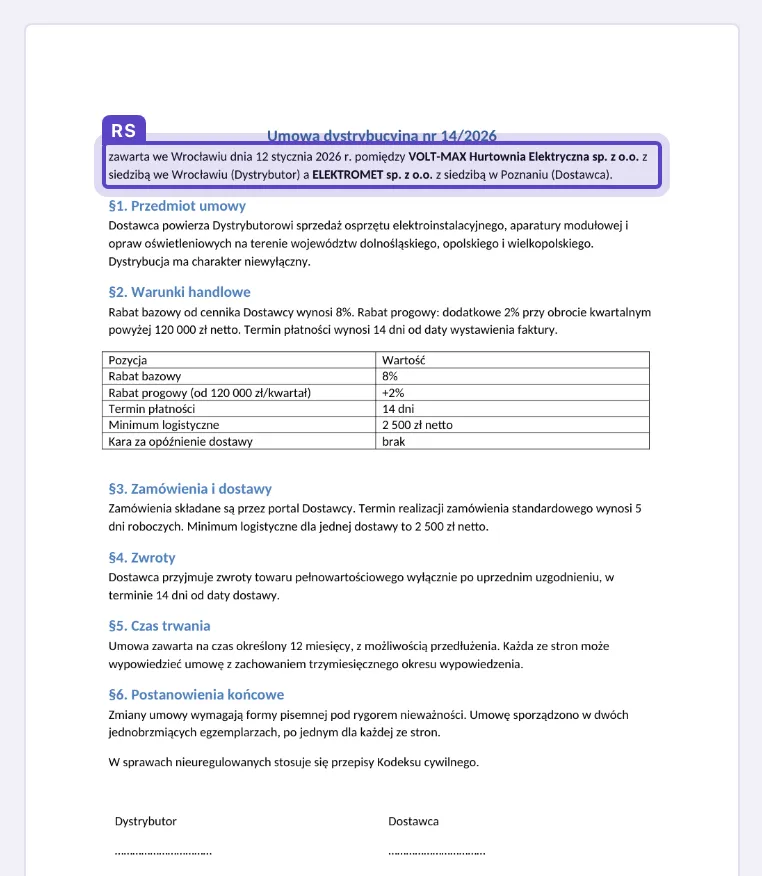
Mark a passage on the page, add a comment and mention a member of your team. The discussion stays with the document and its version.
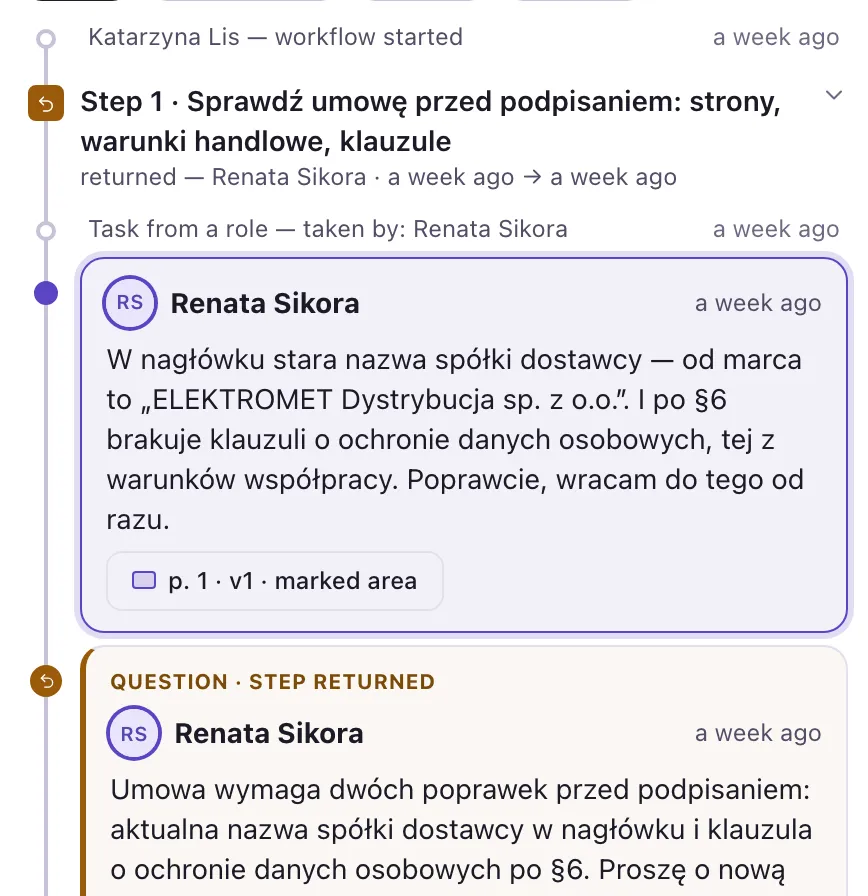
Pass the matter on or ask for a correction. The history shows the decisions and the document versions from each step.
The document workflow screen: the route of steps with people and decisions on the left, a document page with an area marked by the comment's author in the middle, the discussion with a “p. N · vM” reference on the right, and the close-step view with the decisions “Done” and “Return with a question”.
“What warranty terms does this model have?”
Manuals, product sheets and trading terms available to the people who answer customers.
“Where is this customer's latest service report?”
Documentation at hand, on the phone too. Photos and files go into the shared library.
“What has changed in the contract, and who is reviewing it?”
Versions, comments and the next approval steps in one place for the team.
A similar problem in another industry? Show us how you work with documents.
The library is the starting point. We match the other features to your process and plan.
Answers with sources, shared collections and the version history of documents.
Questions to a collection or the whole library assigned to you, version comparison and source previews. OCR and mail import are matched to your plan.
Handing documents on, due dates and comments. Editing with AI, with changes for you to approve.
Workflow templates, reminders and returns with a question. Chat editing supports DOCX, TXT, Markdown and CSV; you save an approved draft as a new version.
Invoices from KSeF (Poland's National e-Invoicing System) in an ordinary collection or in the warehouse; stock levels that follow from the movement ledger.
You fetch invoices from KSeF into a collection — with search, answers with sources and an approval workflow, even without the warehouse. The warehouse adds batches, alerts, reports and invoice review.
On your phone you ask about documents, add photos and handle tasks. You use the same account and the access assigned to you.
Android and iPhone · mobile access included in your plan
Screens of the Czytelnia mobile app: the dashboard with the number of collections, documents and questions and the wallet balance, a conversation in the collection “Contracts 2025” with an answer about the notice period and citations pointing to the file and page, and a collection's file list with processing status, including a file with an error and a “Retry” button.
The MCP connector makes the library assigned to you available to compatible assistants and, with your consent, also accepts new files and starts document workflows. The public API lets you build your own integration.
You invite your team and assign collections. Permissions are checked whenever data is accessed.
Separate accounts, collection assignments and write permissions. You control who can read and change the materials.
Encrypted connections and content, and logical isolation of each company's data, enforced in the database too.
Processing uses external AI providers. Before a pilot we discuss the scope of data, the providers and the terms of the roll-out.
Let's pick one team and one problem. Together we will check whether Czytelnia makes your work easier.
Book a demoTo begin with
30 days free of charge
We help set up the library and upload the files. We agree the measure of success together.
After the pilot we match the plan and the price to your team, the modules and the measured usage.
The key details in one place.
PDF, DOCX, XLSX, PPTX, TXT, Markdown and CSV. The OCR add-on reads scanned PDFs and JPG and PNG photos. Mail import works with IMAP mailboxes (Gmail, WP, Onet and others) and with Outlook.com and Microsoft 365.
Yes — the citations lead to the passages in the sources. AI can make mistakes, so check the answer in the document before an important decision. When the materials lack the information, you can add to the library or make the question more precise.
No. We start the pilot with one collection and a chosen team. Import from OneDrive, SharePoint and Google links handles links that open without signing in; it does not synchronise a private company drive.
No. Selected content is passed to AI providers for indexing, OCR or answers. A private or dedicated instance does not automatically mean local AI processing. We discuss the data flow before the roll-out.
We prepare a quote individually — it depends on the size of the team, the modules and usage. During the pilot we gather the data needed to choose a plan.